

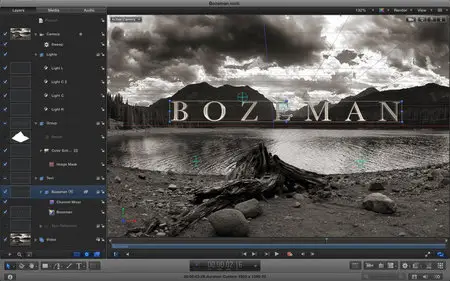
Apple Motion 5.3.2 Multilangual Mac OS X
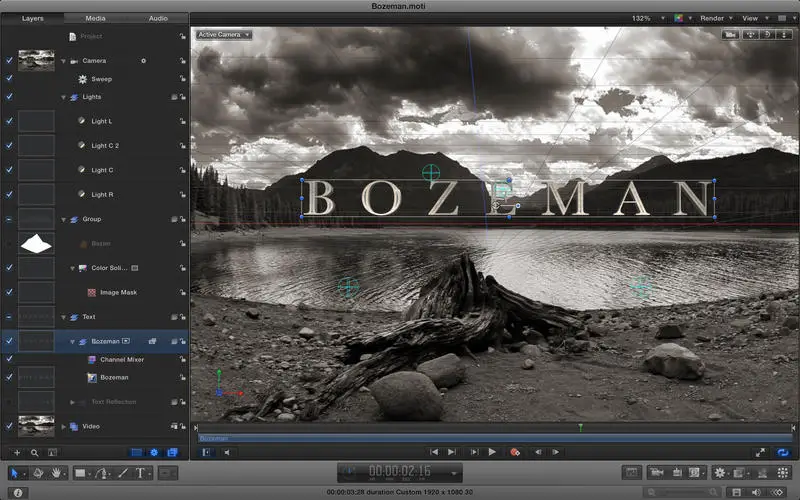
Apple Motion 5.3.2 Multilangual | MacOSX | 2.6 GB
Designed for video editors, Motion 5 lets you customize Final Cut Pro titles, transitions, and effects. Or create your own dazzling animations in 2D or 3D space, with real-time results as you work.
Editor-Friendly Design Tools
• Work fast using a single-window interface with a familiar look and feel
• Customize Final Cut Pro titles, effects, and transitions by opening them in Motion
• Create Smart Motion Templates with simple controls that you can instantly publish to Final Cut Pro X
• Build stunning 2D and 3D compositions with more than 1900 Apple-designed elements
• Make adjustments to any parameter during playback and instantly see results
2D and 3D Titles
• Use basic templates to get started quickly or choose cinematic templates that include beautiful backgrounds and animations
• Easily animate text by choosing from more than 200 text behaviors such as Type On
• Choose from a large collection of text styles to create stunning looks in one click
• Customize 3D titles with unique materials, lighting, and edges
• Save any title and access it directly in Final Cut Pro X
Stunning Effects
• Choose from more than 230 behaviors for natural-looking motion without programming
• Track a moving object in a video clip with the point tracking and match move feature
• Create an accurate chroma key in a single step with the Keying filter
• Apply the Linking behavior to make parameters for one object animate related objects
• Use SmoothCam to eliminate camera jitters, and image stabilization to smooth bumpy shots
• Use third-party FxPlug plug-ins with custom interfaces and dual-GPU support on Mac Pro
Effortless 3D Compositions
• Transition from 2D to 3D space by adding a camera or cameras to any 2D project
• Set up realistic shadows that animate dynamically with the movement of cameras and lights
• Turn any shape, video plane, or paint stroke into a reflective surface
• Track objects or groups of objects with the Camera Framing behavior
Breakthrough Speed and Quality
• Dual-GPU optimizations for superior real-time playback performance and faster rendering on Mac Pro
• 64-bit architecture supports deeper, multilayered effects for use in Final Cut Pro
• ColorSync-managed color pipeline produces accurate, consistent color across applications
• Rendering uses floating-point, linear-light color space for exceptionally realistic results
Quick, High-Quality Output
• Export projects to Apple devices and popular websites such as Vimeo and YouTube
• Choose to output ProRes 4444 video for uncompressed quality at small file sizes
• Send to Compressor to access advanced options for custom encoding
What's New in Version 5.3.2
• Fill filter lets you quickly fill an entire layer without requiring a separate layer and mask
• Missing plug-ins are identified correctly when opening a project
• Midtones are represented accurately when using the Color Balance filter
• Improves stability when scaling shapes from or to zero
• Improves stability when working with duplicated rigged filters and behaviors
• Fixes a stability issue that could occur when using keyboard shortcuts while a keyframe is selected in the Keyframe Editor
• Improves stability when moving the cursor across markers during playback
Compatibility: OS X 10.11.4 or later, 64-bit processor
Home Page - https://www.apple.com/final-cut-pro/motion/
No mirrors please